Your dental front desk,
connected.

Book appointments, remind patients, and keep insurance work organized—all in one easy workspace.

7 days free. Nothing is charged during the trial.
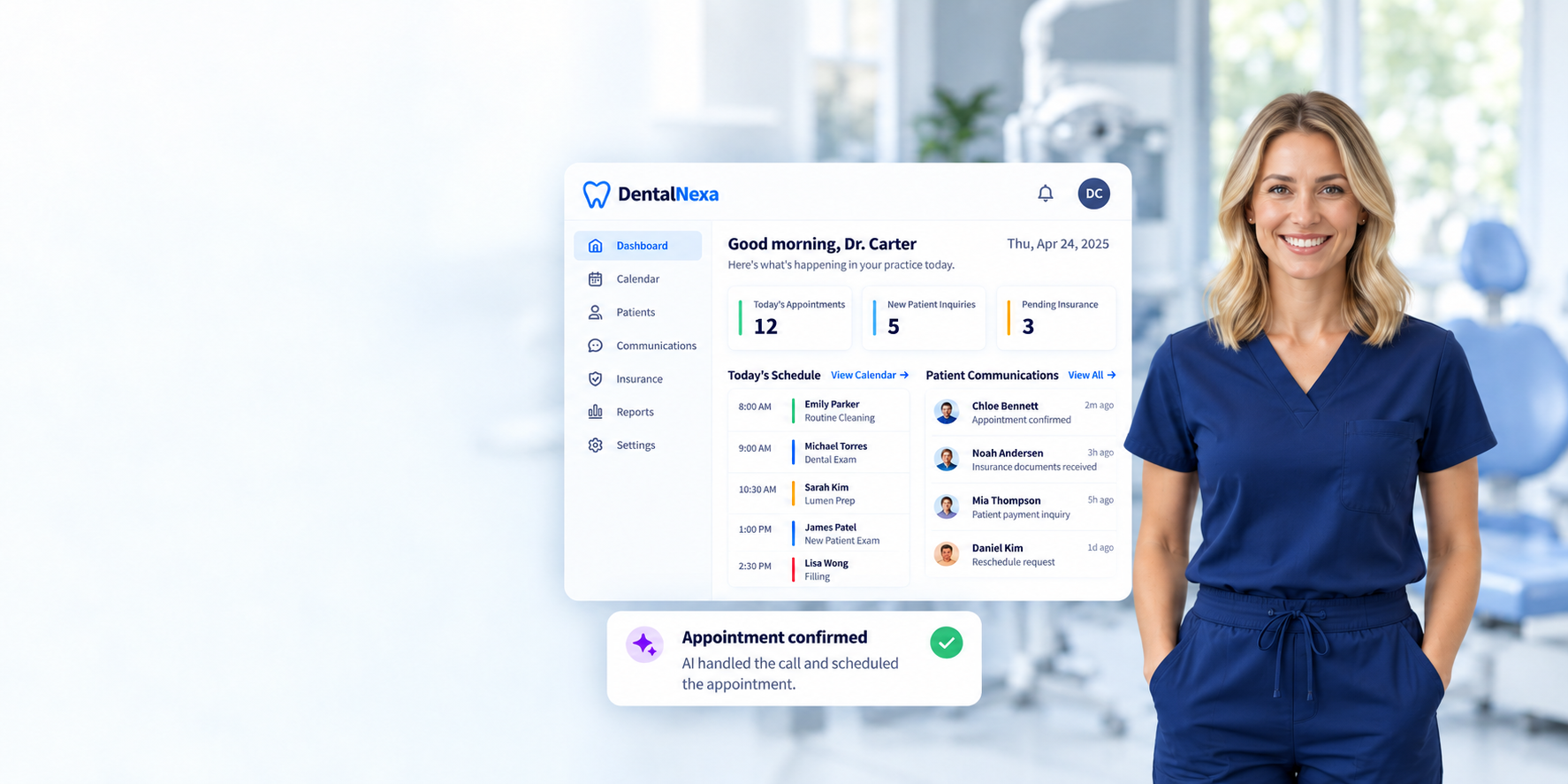
Dental professional beside a DentalNexa dashboard and appointment confirmation; illustrative demo interfaceIllustration · fictional practice and data

Scheduling and patient records.

Book, move, confirm and cancel visits in a calendar that knows your providers, chairs, visit types and office hours.

  • Find a patient by name, phone or patient number, or add a new patient while booking.
  • Double bookings, closed hours and past times are flagged before you save.
  • Each patient's appointments, texts and insurance in one chart.

Using Dentrix, Eaglesoft, Open Dental or other practice software? See how scheduling works with your system →

New appointmentIllustration · fictional
Patient
Jordan Sample Patient # 4F2A9C10
Visit
Adult cleaning · 1 hr
When
Thu 10:00 AM – 11:00 AM
Provider · Chair
Hygienist · Hygiene 1
Availability
This time is available.
Text to patientIllustration · fictional

Hi Jordan, you're booked at Sample Dental on Thursday at 10:00 AM. Need to change it? Call (555) 010-0100. Reply STOP to opt out.

Thanks, see you then!

Delivered

Patient texting and reminders.

Texts go out from one inbox, and reminders run on their own once you turn them on.

  • A booking confirmation is sent when the appointment is saved, and staff see whether it was delivered.
  • Reminders and confirmation requests at the times you choose; a patient's YES confirms the visit.
  • Text permission is recorded per patient and STOP replies are honored automatically.

Texts go only to patients who gave permission. Every automation stays off until a practice owner turns it on.

Check insurance before the appointment.

Help your team review coverage and prepare for the visit.

  1. 1

    Add or confirm the patient's insurance

    Payer, member ID and subscriber details, with the missing pieces pointed out.

  2. 2

    Request an eligibility and benefits check

    One click sends the check to the payer through our insurance connection.

  3. 3

    Review the payer's response in the patient record

    Coverage status and the benefits the payer returned, saved with the date it was checked.

Eligibility & benefitsIllustration · fictional patient and plan
PatientJordan Sample
PayerSample Dental Plan
CoverageActive coverage
Benefits returned by the payer (fictional)
Preventive100%
Basic80%
Major50%
Annual maximum$1,500
Remaining this yearNot returned by payer
Deductible$50
Deductible metNot returned by payer
Frequency limitsNot returned by payer
Checked electronically · values shown exactly as the payer returned them

Payer availability and returned benefits vary. Verification is not a guarantee of payment.

▥

Incoming call

New patient inquiry

AI answering…
☎
Schedule Appointment
Olivia Bennett New patient
New Patient Exam
April 24 · 10:00 AM
Confirm Appointment
✓Appointment Confirmed

A confirmation has been sent to the patient.

✓ Patient details captured
✓ Appointment scheduled
✓ Calendar updated
Illustration · fictional patient · direct-booking setup

The AI receptionist, from first call to the right next step.

Your staff stay in control.In live-call validation

  1. 1

    Answers the call

    Finds out what the caller needs and confirms who they are before discussing visits.

  2. 2

    Finds the right time

    Checks provider and chair availability in the DentalNexa calendar, or offers a transfer or callback.

  3. 3

    Books, or hands it to your team

    Books only after the caller confirms. If you schedule in other software, it records a request and your team books it.

More about the AI receptionist →

Multilingual AI voice

Speak your patients' language

Welcome patients with multilingual AI voice assistance for common questions, appointment requests, and communication with your practice.

  • English
  • EspañolSpanish
  • 中文Mandarin Chinese
  • Tiếng ViệtVietnamese
  • 한국어Korean
  • العربيةArabic
  • فارسیPersian
  • РусскийRussian
  • FrançaisFrench
  • PortuguêsPortuguese
  • हिन्दीHindi

Included for every practice, with nothing to switch on: the AI receptionist answers in the caller's language. Call scripts, text messages and reminders are written in English and Spanish.

Languages

The AI receptionist can take calls in the first group once it is switched on for your practice. Our voice platform covers the others too — ask us if your patients need one of them.

55 languages

Included for every practice

  • English
  • EspañolSpanish
  • 中文Mandarin Chinese
  • Tiếng ViệtVietnamese
  • 한국어Korean
  • العربيةArabic
  • فارسیPersian
  • РусскийRussian
  • FrançaisFrench
  • PortuguêsPortuguese
  • हिन्दीHindi

More languages — on request

  • Afrikaans
  • ՀայերենArmenian
  • Azərbaycan diliAzerbaijani
  • BosanskiBosnian
  • БългарскиBulgarian
  • 粵語Cantonese
  • CatalàCatalan
  • HrvatskiCroatian
  • ČeštinaCzech
  • DanskDanish
  • NederlandsDutch
  • SuomiFinnish
  • GalegoGalician
  • DeutschGerman
  • ΕλληνικάGreek
  • עבריתHebrew
  • MagyarHungarian
  • ÍslenskaIcelandic
  • Bahasa IndonesiaIndonesian
  • ItalianoItalian
  • 日本語Japanese
  • ಕನ್ನಡKannada
  • Қазақ тіліKazakh
  • LatviešuLatvian
  • LietuviųLithuanian
  • МакедонскиMacedonian
  • Bahasa MelayuMalay
  • मराठीMarathi
  • नेपालीNepali
  • NorskNorwegian
  • PolskiPolish
  • RomânăRomanian
  • СрпскиSerbian
  • SlovenčinaSlovak
  • SlovenščinaSlovenian
  • KiswahiliSwahili
  • SvenskaSwedish
  • TagalogTagalog (Filipino)Speech recognition for Filipino comes from a provider that handles one language at a time, so it cannot share an assistant with English or Spanish.
  • தமிழ்Tamil
  • ไทยThai
  • TürkçeTurkish
  • УкраїнськаUkrainian
  • اردوUrdu
  • CymraegWelsh

Voice platform coverage checked October 19, 2026.

Also in your DentalNexa workspace.

Claim review

A pre-check finds missing provider, patient and procedure details before a claim goes out, and links to where each is fixed.

Electronic claim submission

Sending claims to payers electronically. Not active yet

Front-desk Copilot

Ask about the schedule, claims or a patient and open the exact record from the answer.

Clinical notes & charts

Clinical notes and patient charts in the same workspace as the schedule.

Production & collections

The appointments and payments behind each day's totals.

Patient recall

Find overdue patients and send the suggested message. Included with Front Desk.

Not available yet: integration with Dentrix, Eaglesoft, Open Dental or other practice software, insurance card scanning, and digital forms.

Booking, patient texting, and insurance verification in one front desk.

DentalNexa Front Desk is $299/month for one office, $399/month total for two. Here's what that covers.

Book appointments by text

Patients text to ask for a visit, choose from your real open times, and get a confirmation once it's booked.

Available after setup

Insurance eligibility verification

Check a patient's coverage electronically from their record before the visit. Available once live payer checks are confirmed.

In testing

Included in the monthly price Available after setup included; your office turns it on In testing part of the plan, not available yet Add-on extra monthly charge

Scheduling & Booking

  • Book appointments by textAvailable after setupPatients text to ask for a visit, choose from your real open times, and get a confirmation once it's booked. Turn it on once office hours, providers and visit types are set (Setup guide → Book appointments by text).
  • Practice scheduleDay, week and month views by provider and chair, with conflict warnings before you save.
  • Fill cancelled openingsText patients who asked for an earlier visit; the first to accept takes the time.
  • Appointment confirmations by textPatients confirm by replying YES or tapping a secure link.
  • Appointment remindersAvailable after setupReminders go out on their own at the times you choose, once your office turns them on. Choose when they go out and turn them on (Setup guide → Appointment reminders).

Patient Communication

  • Two-way patient textingEvery conversation in one shared inbox, with suggested or automatic replies to common questions.
  • Recall and follow-upFind patients overdue for a visit and send the suggested message.
  • English and Spanish textsBooking texts go out in the patient's preferred language.
  • Texting permission and opt-outsPermission is recorded per patient, and STOP is honored automatically.

Insurance & Billing

  • Insurance work queueSee who is missing insurance or needs a check, and record checks done by phone or payer portal.
  • Insurance card scanningScan or upload a card, or have the patient send a photo, and the details fill in for staff to review.
  • Claim review before sendingA pre-check flags missing provider details, codes, dates and duplicate claims, with a link to fix each one.
  • Insurance eligibility verification In testing Check a patient's coverage electronically from their record before the visit. Available once live payer checks are confirmed.
  • Electronic claim submission In testing Send claims to payers and track acceptance and payment.

Front Desk Workspace

  • Patient recordsContact details, family links, insurance, visits and messages in one place.
  • Front-desk CopilotAsk about the schedule, claims or a patient and open the exact record from the answer.
  • Production & collections reportsSee each day's production and collections and the visits and payments behind them.
  • Staff logins and rolesInvite your team with front desk, billing, clinical or admin access.

iVoice Receptionist

  • AI receptionist answers calls Add-on Answers calls, books into your schedule, and transfers to your team when needed. Not included in Front Desk. Needs a separate AI receptionist plan and an AI phone number — contact us.
  • Missed-call text-back Add-on Texts callers back when a call to your AI number goes unanswered. Needs an AI phone number (add-on).
  • AI phone number Add-on A local number for the receptionist, $5/month.

Monthly allowances

Included each billing cycle

The same features for 1 or 2 offices. With 2 offices the allowances are shared by both offices. Allowances reset each billing cycle; unused amounts don't carry over.

Each billing cycle1 office $299/month2 offices $399/month total
SMS segments1,5002,500 shared
Eligibility checksNot active yet100150 shared

The AI receptionist isn't included in Front Desk; it's sold separately. Contact us to add it.

SMS segments include patients' replies. A longer text can count as two or more segments (each holds up to 160 characters, or 70 with emoji or non-English letters). "Not active yet" allowances apply once that feature is switched on.

Beyond the allowance

Extra usage is off until the practice owner turns it on and sets a monthly spending cap. When it's on, extra usage is billed on your next invoice at:

  • $0.04 per extra SMS segment
  • $0.60 per extra eligibility check

When extra usage is off or the cap is reached, only that service pauses until the next billing cycle and your team sees what needs a manual follow-up. Everything else keeps working. Your usage and allowances are shown under Usage & Billing once you sign in. 3 or more offices? Contact us.

Questions practices ask.

Does DentalNexa work with our current dental software?

Not directly yet: DentalNexa doesn't read or write Dentrix, Eaglesoft, Open Dental or other practice software. If you schedule in DentalNexa, appointments — including ones the AI receptionist takes — are booked straight into the DentalNexa calendar. If you keep scheduling in your current software, the AI receptionist records an appointment request and your team books it there; the caller is told the office will confirm.

How does insurance verification work?

Your team adds the patient's payer and member details, then requests a check. The payer's answer — coverage status and the benefits it returns — is saved in the patient record. Payers return different amounts of detail, and anything a payer doesn't return is shown as "Not returned by payer", never guessed. Some payers don't support electronic checks; for those, the product says so and your team records a verification done by phone or the payer's portal. A verification is not a guarantee of payment. Live checks with payers start after our first confirmed check through our insurance connection.

What does setup involve?

A short guided setup: practice details, office hours, providers and visit types, and inviting your team. Texting is connected by our team, and the AI receptionist is switched on only after test calls with your staff. There's no onboarding fee.

What happens during the 7-day trial?

Nothing is charged. The trial includes up to 20 text segments, 10 AI receptionist minutes, 25 patient records and 2 staff logins. Insurance checks during the trial use the insurance network's test environment, not live payers. When the trial ends, you choose Front Desk for one or two offices in Plan & billing and pay securely online; it starts as soon as the payment is confirmed.

What if we use more than our plan includes?

Front Desk includes monthly allowances — see "Monthly allowances" beside the price. Extra usage is off until the practice owner turns it on and sets a monthly spending cap, so you won't be charged for usage beyond the allowance without agreeing to it first.

See DentalNexa in a live demo.

A person from our team walks you through the workspace in our demo practice and answers your questions about setup and pricing.

We'll contact you to arrange a demo. This form doesn't reserve an appointment.

How should we contact you?
Include the area code, e.g. (949) 555-0123.
Helps us show how scheduling would work for you. Listing a product here doesn't mean we integrate with it.